
Best AI Tools for Students (No Cost)
Artificial Intelligence (AI) is transforming education — helping students write better, learn faster, stay organized, and solve complex problems. The barriers to using AI have dropped dramatically, with many excellent tools available at no cost. Whether you’re in high school, college, or self-learning, this article highlights the best free AI tools students can use today — organized by category and explained in detail.
With technology evolving rapidly, students now have access to tools that were once only available to professionals. From generating essays and summarizing texts to organizing study plans and improving presentations, AI has become a powerful ally in education.
In this article, we break down the best no-cost AI tools across essential academic areas:
🌟 Writing & Editing
🌟 Research & Study
🌟 Note Taking & Organization
🌟 Language Learning
🌟 Math & Problem Solving
🌟 Presentation & Design
🌟 Accessibility & Focus
🌟 Future of AI in Education
1. AI Writing & Editing Tools
Writing is a core academic skill — and one that many students find challenging. Free AI writing assistants help with grammar, structure, creativity, and formatting.
1.1 ChatGPT (Free Tier)
Best for: Brainstorming ideas, drafting text, revising essays
ChatGPT (free version) uses large language models to help write essays, answer questions, generate ideas, and explain complex topics. Students can prompt it to rephrase sentences, create examples, or summarize information.
Highlights:
👉🏻 Write essays, outlines, or summaries.
👉🏻 Ask for explanations in simple language.
👉🏻 Draft emails or scholarship applications.
Tips:
👉🏻 Use clear prompts like “Summarize this paragraph” or “Explain [topic] in simple terms.”
👉🏻 Check and edit the output — AI shouldn’t replace your thinking.
1.2 Grammarly (Free)
Best for: Grammar, clarity, tone
Grammarly’s free tier helps students polish writing by catching grammar errors, suggesting style improvements, and improving clarity.
Highlights:
👉🏻 Real-time typo and grammar checks.
👉🏻 Tone suggestions.
👉🏻 Browser extension for writing anywhere online.
Benefits:
👉🏻 Easy integration with Word, Google Docs, and email.
1.3 QuillBot (Free)
Best for: Paraphrasing and summarizing
QuillBot’s free tools help rephrase sentences and shorten long text into concise summaries.
Highlights:
👉🏻 Paraphrasing tool with multiple writing styles.
👉🏻 Summarizer to try different lengths.
👉🏻 Works with academic writing and research notes.
2. AI Research & Study Aids
Researching and understanding large volumes of information is a key academic challenge. AI research assistants help find information faster and summarize complex content.
2.1 Perplexity AI
Best for: Quick research and summarization
Perplexity AI provides concise answers and explanations pulled from the web. It’s like using a smart search engine that summarizes information across sources.
Highlights:
👉🏻 Fast research summaries.
👉🏻 Links to references.
👉🏻 Great for understanding unfamiliar topics quickly.
Use cases:
👉🏻 Get definitions and explanations.
👉🏻 Summarize articles or topics before writing.
2.2 Consensus
Best for: Evidence-based research
Consensus searches academic and scientific resources to provide evidence-based answers, great for science and health topics.
Highlights:
👉🏻 Pulls from peer-reviewed research.
👉🏻 Shows summaries and source links.
👉🏻 Useful for essays and science projects.
2.3 Scholarcy (Free)
Best for: Academic article summarization
Scholarcy helps students turn long research papers into digestible summaries — ideal for literature reviews or exam study.
Highlights:
👉🏻 Extracts key points, figures, and references.
👉🏻 Works with PDFs and links.
👉🏻 Easy to copy into notes.
3. AI Note Taking & Organization Tools
Staying organized is vital for academic success. AI tools can automate note organization and make study materials easier to review.
3.1 Notion AI (Free Personal Plan)
Best for: All-in-one workspace
Notion’s free plan includes powerful organization tools — and AI helpers for drafting notes or improving content.
Features:
👉🏻 Templates for class schedules and homework lists.
👉🏻 AI-assisted writing within notes.
👉🏻 Cross-device access.
Why students love it:
👉🏻 Keeps classes, tasks, and research in one place.
3.2 Obsidian (Free)
Best for: Link-based knowledge organization
Obsidian isn’t strictly AI but integrates with plugins and offers a free plan for managing interconnected study notes.
Highlights:
👉🏻 Create knowledge graphs.
👉🏻 Organize notes with bi-directional links.
👉🏻 AI plugins extend research and summarization.
3.3 Microsoft OneNote with Copilot (Limited Free Access)
Best for: Lecture note capture
OneNote captures typed and handwritten notes — and integrates AI features for summarizing and organizing.
Highlights:
👉🏻 Sync across devices.
👉🏻 Tag and search features.
👉🏻 AI helps pull key points from notes.
4. AI Language Learning Tools
Language learning becomes easier with AI — students can practice conversation, translations, and vocabulary.
4.1 Duolingo (Free + AI Features)
Best for: Language learning basics
Duolingo’s free tier offers gamified language courses, and AI chatbots let students practice conversations in real time.
Highlights:
👉🏻 AI conversation practice.
👉🏻 Grammar and vocab drills.
👉🏻 Progress tracking.
4.2 Google Translate (Free)
Best for: Quick translations
Google Translate uses AI to convert text or speech into over 100 languages — helpful for foreign language homework.
Highlights:
👉🏻 Photo translation with camera.
👉🏻 Conversation mode.
👉🏻 Offline access.
4.3 YouGlish
Best for: Pronunciation and real usage
YouGlish isn’t strictly an AI, but leverages speech recognition and search to help learners hear words used in real videos.
Highlights:
👉🏻 Hear word pronunciation in context.
👉🏻 Choose accents (US, UK, etc.).
👉🏻 Great for ESL learners.
5. AI Math & Problem Solvers
Math can be challenging — but free AI tools help break down problem steps and offer explanations.
5.1 Wolfram Alpha (Free Tier)
Best for: Solving math and science problems
Wolfram Alpha is a computational intelligence engine that solves math problems and explains steps.
Features:
👉🏻 Algebra, calculus, statistics support.
👉🏻 Scientific queries and data.
Tips:
👉🏻 Use step-by-step solutions to learn processes (premium offers more steps).
5.2 Symbolab
Best for: Step-by-step math solutions
Symbolab’s free tool solves equations and shows steps for algebraic expressions, integrals, and more.
Highlights:
👉🏻 Clear step breakdowns.
👉🏻 Practice problems and examples.
5.3 GeoGebra
Best for: Interactive math visualizations
GeoGebra offers dynamic geometry, algebra, and calculus tools — free for students and teachers.
Uses:
👉🏻 Graph functions.
👉🏻 Explore geometry visually.
👉🏻 Build and share math constructions.
6. AI Presentation & Design Tools
Whether preparing slides or visuals, these free AI tools help students create polished, engaging content.
6.1 Canva (Free + AI features)
Best for: Design and presentations
Canva’s free plan includes AI-assisted design — automatically generating layouts and helping with visuals.
Highlights:
👉🏻 Presentation and poster templates.
👉🏻 Magic Write AI for text generation.
👉🏻 Easy drag-and-drop interface.
6.2 Beautiful.ai (Free Tier)
Best for: AI slide design
Beautiful.ai uses AI to automatically format and design slides — helpful for class presentations.
Benefits:
👉🏻 Professional-looking slides without design skills.
👉🏻 Auto-adjusts layout based on content.
6.3 SlidesAI
Best for: Script → Slides tool
SlidesAI helps convert written summaries into presentation slides in seconds — saving time on formatting.
7. AI Accessibility & Focus Tools
AI can also help with focus, accessibility, and reading comprehension — supporting all learners, including those with disabilities.
7.1 Microsoft Immersive Reader (Free)
Best for: Reading comprehension
Immersive Reader uses AI to improve reading accessibility — highlighting text, reading aloud, and adjusting spacing.
Who benefits:
👉🏻 Students with dyslexia or ESL learners.
👉🏻 Anyone who wants reading support.
7.2 Forest App (Free Option)
Best for: Focus and productivity
Forest uses simple gamification (planting virtual trees) to help students stay focused and reduce procrastination.
7.3 Speechify (Free Tier)
Best for: Text-to-speech
Speechify converts text into natural speech — helpful for students who retain information better through listening.
8. How to Use AI Ethically & Effectively
AI tools are powerful — but using them responsibly is equally important. Here’s how students can use AI ethically:
🌟 Don’t Let AI Replace Learning
AI should support your understanding — not do work for you. Always review AI output and add personal insight.
📚 Cite Appropriately
If AI helps generate ideas or summaries, be transparent. Many schools now recommend acknowledging AI assistance.
🧠 Double-check Facts
AI can make mistakes. For research or factual information, always verify with trusted sources.
✍️ Improve Writing Skills
AI can polish grammar and clarity — but actively practicing writing improves your skills over time.
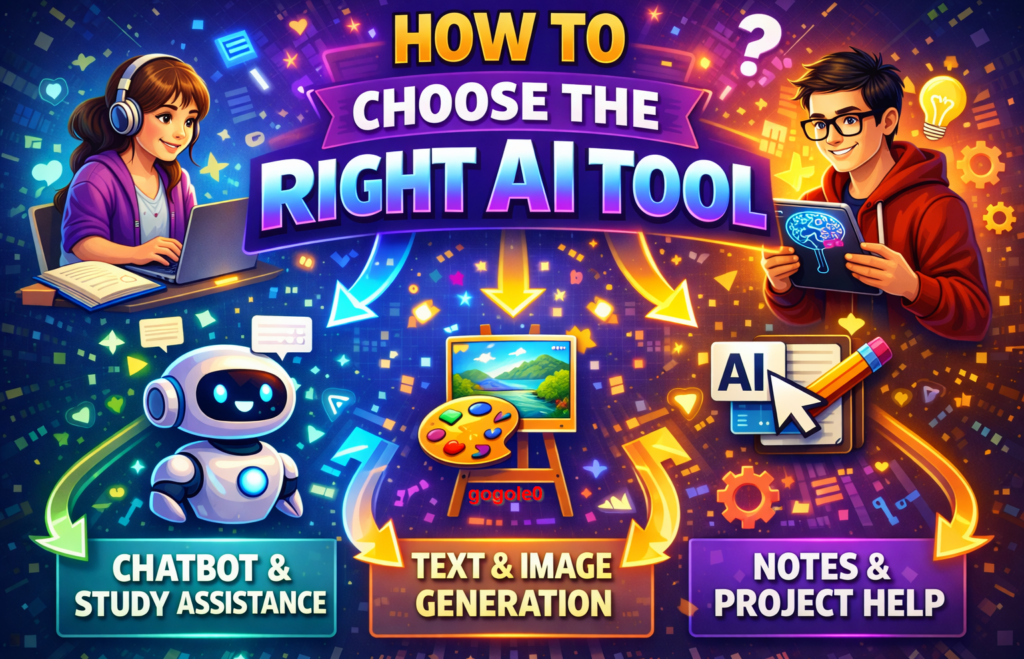
9. How to Choose the Right AI Tool
To select tools that match your academic needs:
🔹 Identify Your Goal
- Writing help? Use ChatGPT, Grammarly, or QuillBot.
- Research support? Try Perplexity, Consensus, or Scholarcy.
- Math problems? Use Wolfram Alpha, Symbolab, or GeoGebra.
- Design tasks? Choose Canva or Beautiful.ai.
🔹 Check Privacy & Security
Ensure the tool respects student data privacy. Schools often have approved platforms — check guidelines before using.
🔹 Look for Integrations
Tools that connect with Google Classroom, Notion, or OneNote streamline workflows.
10. Real Student Use Cases
Here are some practical examples of how students can use free AI tools:
📌 Writing a Research Essay
👉🏻 Brainstorm with ChatGPT.
👉🏻 Summarize sources using Scholarcy.
👉🏻 Check grammar with Grammarly.
👉🏻 Organize references and notes in Notion.
📌 Preparing for Exams
👉🏻 Create flashcards and summaries with ChatGPT or Perplexity.
👉🏻 Convert complicated texts into easy summaries.
👉🏻 Use Immersive Reader to listen to readings.
📌 Learning a New Language
👉🏻 Practice daily lessons in Duolingo.
👉🏻 Hear correct pronunciation with YouGlish.
👉🏻 Translate content using Google Translate.
📌 Solving Difficult Math Questions
👉🏻 Input equations into Wolfram Alpha or Symbolab.
👉🏻 Visualize problems with GeoGebra.
👉🏻 Re-attempt problems after understanding steps.
11. Limitations of Free AI Tools
Free tools are incredible — but there are limitations:
🧩 Model Restrictions
Free versions often have limited access to advanced AI features or slower speeds.
📉 Data Accuracy
AI might give outdated or incorrect answers — especially on niche topics.
💡 Not a Substitute for Teachers
AI can assist — but teachers provide guidance, context, and mentorship AI cannot replace.
12. The Future of AI in Education
The rapid growth of AI suggests that learning tools will become even more intuitive and personalized:
🔹 Adaptive Learning Plans
AI will tailor study plans based on individual strengths and weaknesses.
🔹 Real-Time Feedback
Future tools will offer instant feedback on essays, math approaches, and even creative projects.
🔹 Collaborative AI
AI agents may soon help students work together, brainstorm ideas, or simulate study groups.
The future promises an AI-augmented learning experience that is more personalized, supportive, and engaging than ever before.
Conclusion
AI is no longer a luxury — it’s a valuable ally in modern education. The tools listed above are completely free (or offer meaningful free tiers) and can help students:
🌟 Write with confidence
🌟 Research faster
🌟 Stay organized
🌟 Learn languages better
🌟 Solve math problems
🌟 Create standout presentations
By using AI thoughtfully and responsibly, students can not only improve academic performance but also build skills for a future where AI and human intelligence work hand in hand.


